Psiphon
Free VPN for PC bypassing content and gives you easy access to any censored data

Safe & Secure
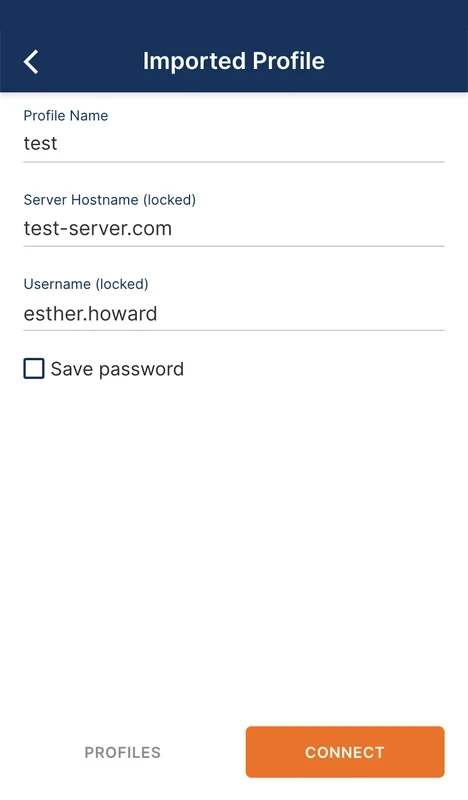
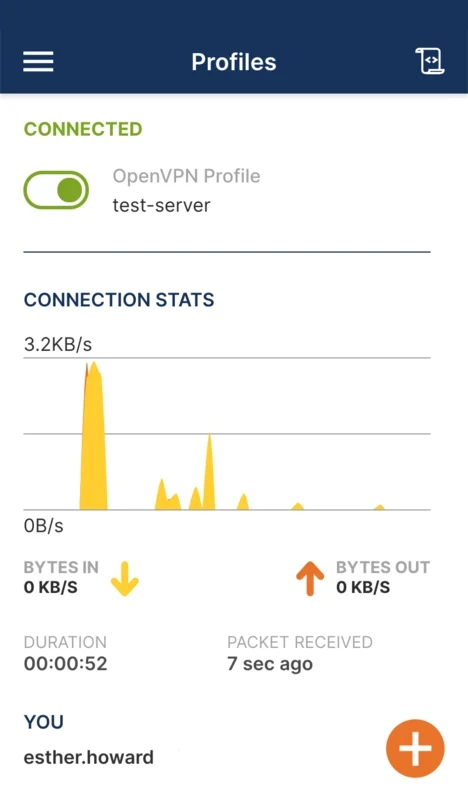
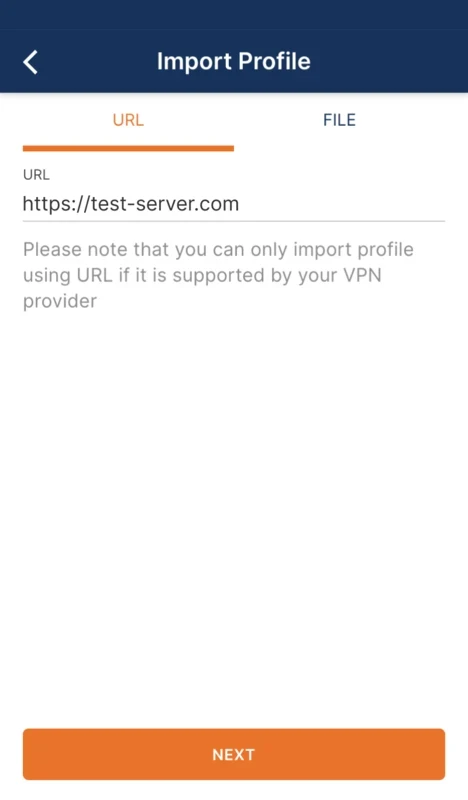
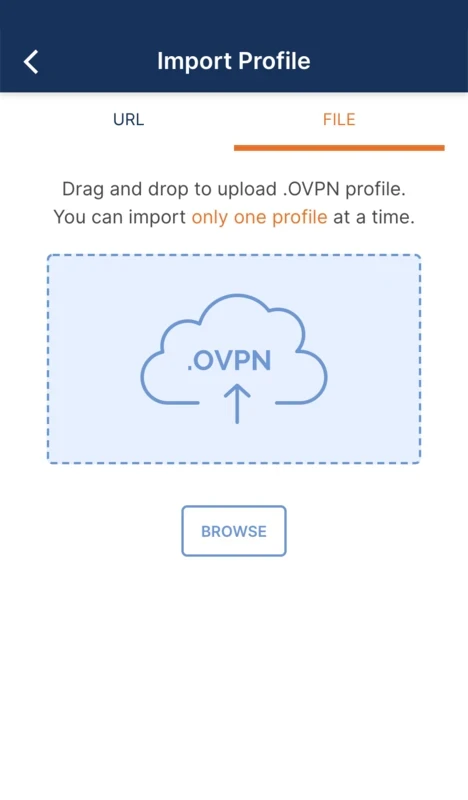
OpenVPN Connect is a client VPN application to enable users to configure their own VPN server, or connect to exist one, simplifying the process of managing VPN profiles. You can also import VPN servers using a URL or the drag & drop option. After installation, you are ready to activate the VPN connections and enjoy a secure and stable Internet experience.
It is a handy tool, specifically designed for users who want to be too careful from online threats, including social engineering, and access to their email or bank accounts. It ensures privacy, security, and anonymity while browsing online.
OpenVPN, developed by OpenVPN Inc., is the official client for the Windows operating system, establishing encrypted connections between your PC and remote servers. It also offers seamless integration with other digital devices, including Android, iOS, and macOS. It is also compatible with OpenVPN Access Server, Cloud, and other compatible servers to offer a flexible way of connecting to your favorite networks.
The free-to-use program offers full-fledged functionality, equally reliable for novice and power users, as the strong encryption and compatibility across multiple devices proves one of trusted choice for individuals as well as organizations.
The app allows the users to import VPN profiles effortlessly using the main screen, as the adding of each profile is possible via URL, or simply drag the.OVPN file into the center of the interface. After importing the profile, you can activate the connection hassle-free by clicking the button at the top of the interface and start the data transfer process.
The app offers improved privacy and ensures data protection while utilizing industry-standard AES-256 encryption. It also offers seamless compatibility with multiple protocols, including OpenVPN Access Server and Open-source OpenVPN software to enhance your encryption and security, as it allows you to reroute your web traffic through servers and waypoints.
You can also access real-time statistics generated by the app using an internet connection. You can easily use the statistics report to assess the performance and status of your VPN connection, keeping the speed and stability of your connection on track. Moreover, the integration with various third-party authentication systems such as LDAP, RADIUS, and SAML makes your routing process more foolproof.
The app with a user-friendly interface helps to manage and configure the profiles and protocols reliably. You will also find various advanced configuration options such as proxy settings, port customization, and advanced networking features that make your access to VPN connections hassle-free. The support for the DNS and IPv6 Protection feature helps to protect your data from leaking.
The app offers unrestricted access to your desired websites and other innovative content. We have to face a lot of irritation when viewing a not accessible screen, and want to unblock it. The app helps to mask our IP address and makes it possible to browse whatever we want, avoiding the Internet restrictions as well.
It is one of the advanced functionalities, allowing users to reliably use their VPN without any bother of facing VPN dropouts. It very quickly disconnects the Internet connection if your VPN connection drops. It is the best solution to safeguard your real identity from disclosure, and makes everything cool and safe. It also adds Two-factor Authentication as an additional authentication for your ease.
The minimalist yet functional user interface features a clean dashboard, where you can view connection status and server details, and manage your VPN profiles. You can add profiles using an easy-to-use import tool via files, URLs, or QR codes. On the main screen, you will find a simple toggle button for connecting or disconnecting the VPN. Likewise, you can also manage multiple other advanced settings such as customizing encryption, authentication, and networking preferences.
The app supports OpenVPN Cloud to expand the scope of safekeeping of your entire network and data transfers across multiple platforms, including Windows, iOS, Android, and macOS. It is an ideal utility for small and medium organizations. However, it requires a rather steep learning curve, as you need to manually configure connections.
Pros
Cons

Free VPN for PC bypassing content and gives you easy access to any censored data

Turbo VPN for PC, a secure and fast way for anonymous browsing

Clash for Windows, bypass geo-restrictions content

Proxifier provides proxy servers for network applications that lack built-in proxy servers

1111 Warp VPN Free Download for PC offers the fastest and safest internet connection while using the fastest DNS resolver.

V2rayN, an open-source GUI, manages V2ray server and proxy connections for free